
 Cutgenie · by techzonical
Edit by hand.
Or just ask.

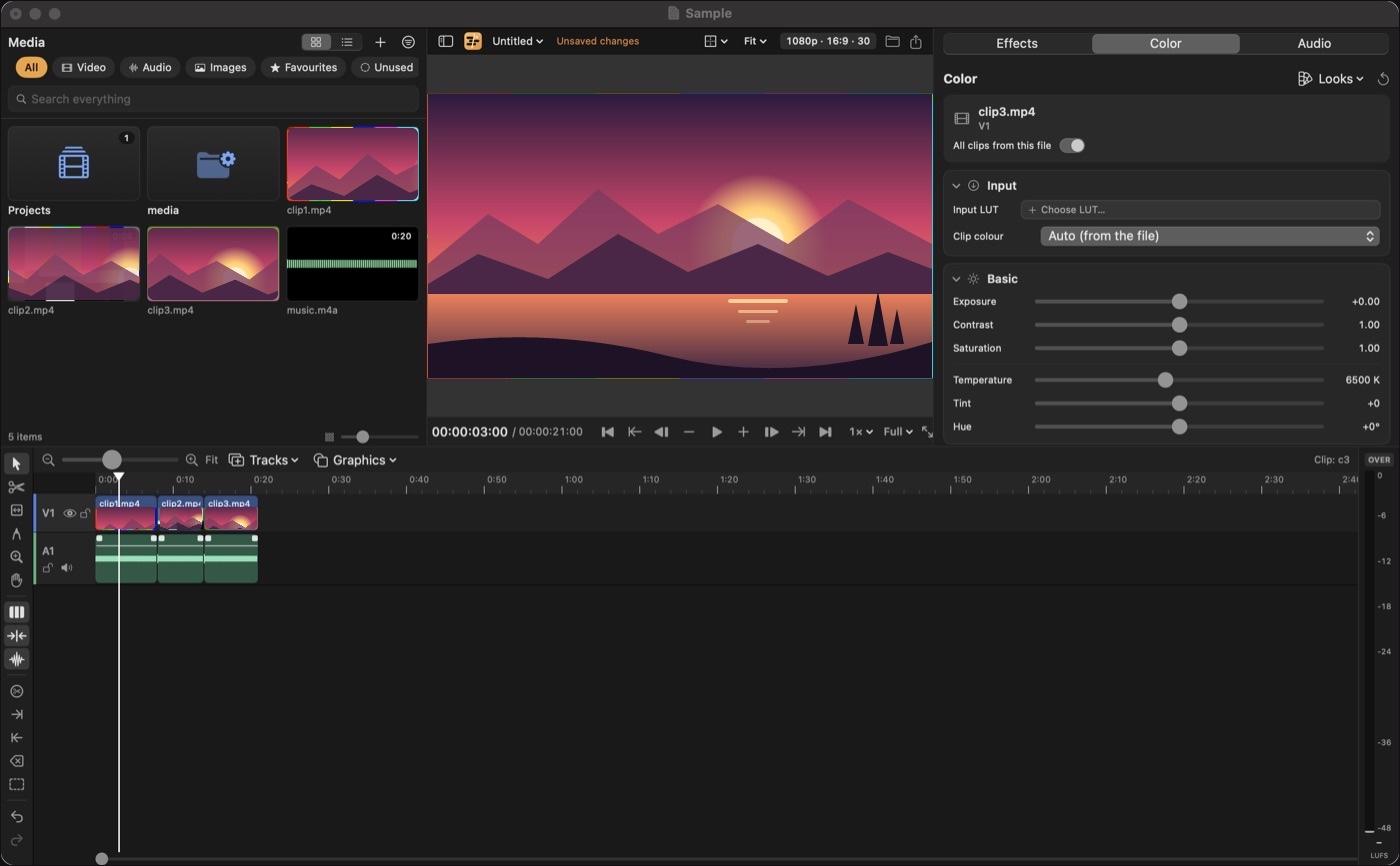
The free video editor for Mac that understands plain words. Cut, colour and mix like a pro, or tell Claude what you want and watch the edit appear.
Why creators switch
30 hours of editing.
Now about 1.5.
From my own workflow: a full video with text graphics, searching for assets and placing music used to take about 30 hours. With Cutgenie it takes about an hour and a half. That's time back for what actually grows a channel.
Cuts, text graphics, finding assets, placing music
Cuts and lower thirds
Hours become minutes
Pauses, titles, zooms, transcripts and loudness done by asking, not by hours of clicking.
Spend less, everywhere
No subscription, no watermark, and far fewer paid templates, presets and plug-ins to buy.
No big team needed
Do the work of a whole editing crew on your own. The genie works for free, 24/7.
Why I built Cutgenie
Hire this genie.
It works for free.
I've been editing videos for 6 years and have made 1,000+ videos for YouTube and for clients. I know exactly how it feels to be stuck searching for the right asset, spending hours, sometimes days, looking for the one that fits.
As a solo creator, that meant more time editing than making videos: hours on cuts, money on assets, and a constant worry about falling behind.
Cutgenie changed that. Now I can feed the algorithm with more videos instead of losing time and money on editing. Less stress, more fun creating. That's why it's free for you too.
Vishal Pratap · Founder

Features
Everything a video needs.
01 · Timeline
A timeline that tidies itself.
Clips snap together and gaps close on their own. One-key tools to cut, trim and move, like Final Cut, with numbered tracks like Premiere.
magnetic · ripple · roll · slip · blade
02 · Colour
Looks that make it yours.
Exposure, colour wheels and LUTs, with saved looks you can paste onto every clip in one click.
03 · Sound
Voices that sound clear.
EQ, noise gate, compressor and limiter per track, plus one-click loudness to hit YouTube's target.
match loudness → −14 LUFS ✓
✦ Edit with Claude
Say it. See it happen.
Ask in plain words and the edit lands on your timeline. Check it, tweak it by hand or undo it. You're always in charge, and it all runs on your own Mac.
How editing with Claude works →Done: removed 7 pauses and added your lower third at 0:05. I saved a version first, so you can go back anytime.
✦ 11 bundled skills
Skills written by an editor
who writes for a living.
A Claude skill is a short set of instructions that teaches Claude one editing job. Good skills need two things: knowing exactly how an edit should be done, and explaining it so clearly that nothing is left to guesswork. You just say what you want; Claude picks the right skill.
“I'm a technical writer by profession and a video editor with 6 years and 1,000+ videos behind me. Every Cutgenie skill is written with both: real editing know-how, in instructions Claude follows precisely.”
 Vishal PratapFounder · technical writer and video editor
Removed 7 long pauses, 18 s shorter. I saved a version first, so you can go back.
Compare
How Cutgenie stacks up.
| Cutgenie | Typical paid editors | Typical free editors | |
|---|---|---|---|
| Price | Free forever | Subscription or one-off | Free |
| Edit by asking in plain words | ✦ Yes, with Claude | Limited | No |
| Open source | Yes | No | Sometimes |
| Watermark | Never | No | Often |
| Versions and auto-save | Every minute, 10 versions | Yes | Basic |
Questions
Good to know.
Is it really free?
Yes. Cutgenie is free and open source. No trials, no watermarks, no hidden paid tier.
Do I need Claude to use it?
No. It's a full editor on its own. Claude is an optional extra for editing by asking.
Which Macs does it run on?
macOS 14 Sonoma or newer. Apple silicon (M1 and later) works best.
Windows or Linux?
Coming soon. Follow the project on GitHub to hear first.

Make your first wish.
Download Cutgenie and edit your next video tonight. macOS 14 Sonoma or newer, best on Apple silicon.
First time opening it? macOS may say it can't check the app yet. Open System Settings ▸ Privacy & Security and click Open Anyway. You only do this once.
New here? Read the friendly docs → · ★ Star on GitHub