

I've written more than 30 AI skills over the last year: for technical writing at work, for personal projects, and the 11 that ship with Cutgenie. The most surprising lesson? Writing a good skill has very little to do with "prompt engineering" tricks. It has everything to do with writing good documentation.
If you've ever written a user guide that people could actually follow, you already have most of the skills you need to write skills.
What is an AI skill?
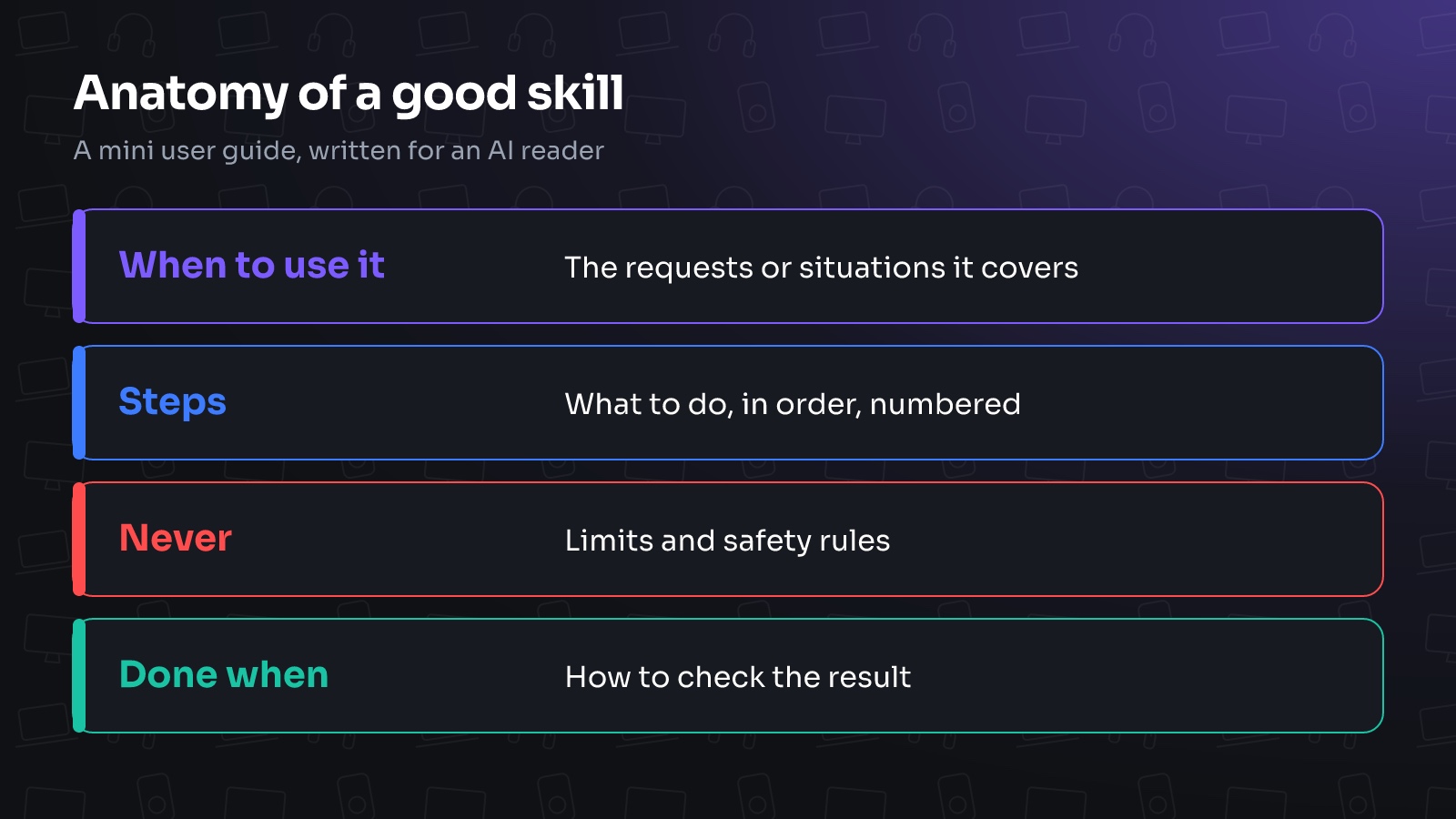
A skill is a short set of written instructions that teaches an AI assistant, like Claude, how to do one specific job well. Think of it as a mini user guide written for an AI reader instead of a human one.
A skill usually contains:
- When to use it: the situations or requests it covers
- What to do: the steps, in order
- What not to do: the limits and safety rules
- How to check the result: what "done" looks like
In Cutgenie, for example, the rough-cut skill teaches Claude how to find long silences in a recording, how much breathing room to leave around speech, and to save a version before changing anything.
The magic is that you don't have to remember any of this when you use it. You say "cut the pauses out of my video" and the assistant picks the right skill and follows it.
Why most skills fail
When people first write skills, they tend to write them like a wish:
Edit my video to make it better and more engaging.
That's not a skill. It's a hope. The AI has to guess what "better" means, and it will guess differently every time.
Most failed skills share the same three problems:
- Vague goals: "improve", "clean up", "make it nice"
- Missing steps: the writer knows the process so well they skip the "obvious" parts
- No boundaries: nothing says what must never be touched
Sound familiar? These are exactly the mistakes that make human documentation fail too.
Seven habits of skills that work
1. One skill, one job
A skill that tries to do everything does nothing well. "Remove pauses" is a skill. "Edit my video" is a product. Keep each skill focused, and let the assistant combine them.
2. Write for a smart reader who knows nothing about your situation
This is the oldest rule in technical writing. Assume your reader is capable but has zero context. Define your terms. Say which track, which file, which unit. If a step depends on something, say so.
3. Put the steps in order, and number them
Sequence matters. "Save a version, then cut" is safe. "Cut, then save a version" is a disaster. Numbered steps make the order unmistakable, for humans and AI alike.
4. Say what not to do, explicitly
The most important lines in a Cutgenie skill are often the restrictions:
- Never change or delete the original recordings.
- Save a version before your first edit.
- If something unexpected happens, undo and check, rather than fixing forward.
Boundaries are what make it safe to hand a job to an assistant.
5. Use concrete examples
Abstract rules get interpreted. Examples get followed. Show what a good request looks like, what a good result looks like, and, when it helps, what a bad one looks like.
6. Define "done"
A skill should end with a check: how the assistant can confirm the job worked. In Cutgenie, that often means reading back the project after an edit to confirm the timeline is what we expected. Without a definition of done, the assistant stops when it thinks it's finished.
7. Test it like a user guide
Run the skill on real tasks. Watch where it goes wrong. Then fix the instructions, not just the output. Every mistake an AI makes is a clue about a sentence you didn't write clearly enough.
A tiny example
Here's the shape of a simple, well-written skill, in plain language:
Use this skill when the person asks to remove pauses, silences or dead air.
Steps
- Save a version of the project.
- Find silent stretches longer than one second in each clip on the main track.
- Keep about 0.15 seconds of silence on each side of speech.
- Remove silences from the end of the timeline backwards, so earlier times don't shift.
- Read the project back and confirm the clips are in order.
Never change the original recordings. If a result looks wrong, undo and check before trying again.
Done when the pauses are gone, speech still sounds natural, and the person can undo in one step.
Notice there's nothing clever here. It's just clear, ordered, specific writing with limits and a finish line.
Skills vs prompts vs documentation
People often mix these up, so here's how I think about the difference:
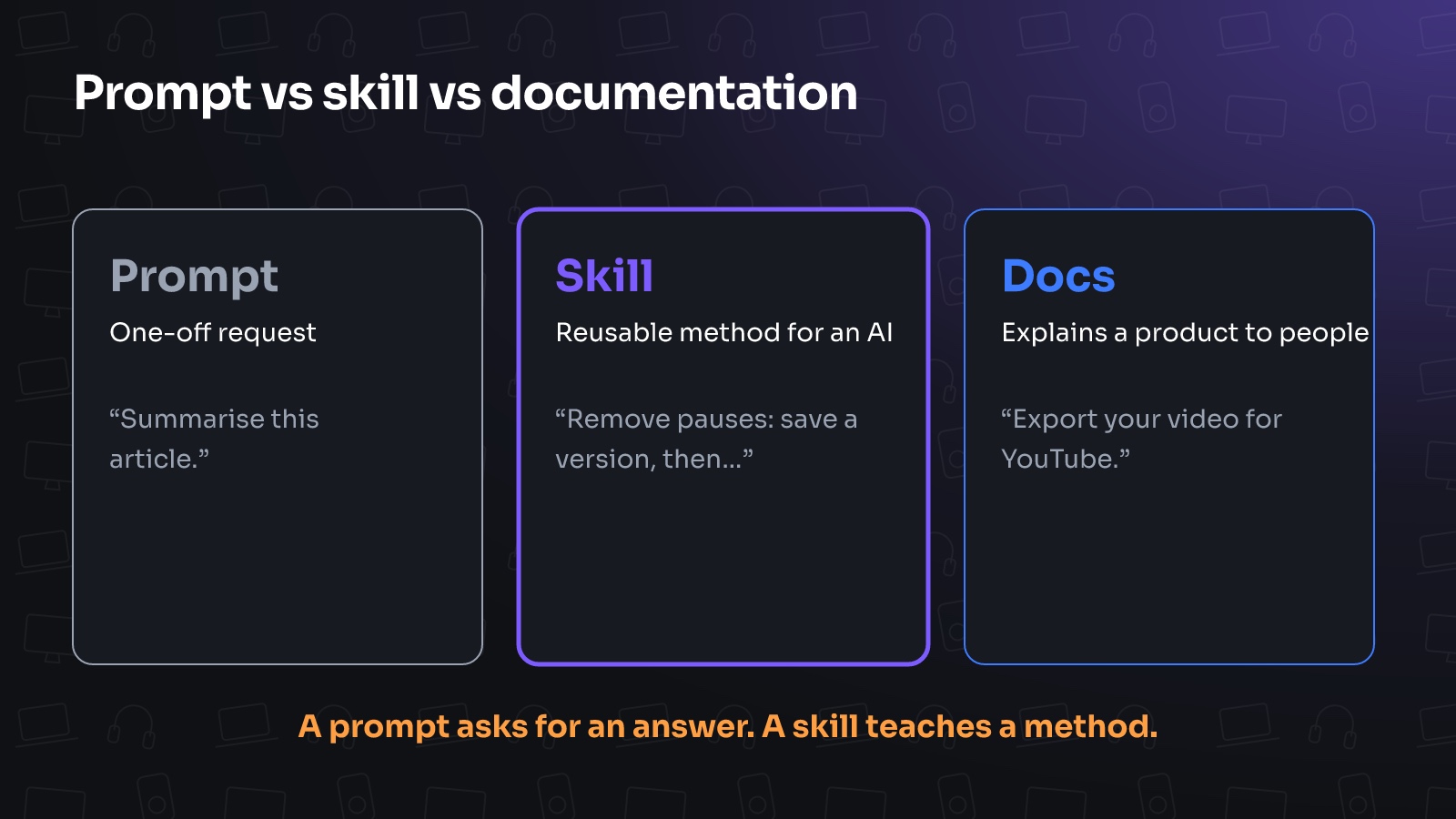
- A prompt is a one-off request. You write it, use it once, and it's gone. "Summarise this article in three bullet points."
- A skill is a reusable procedure. You write it once, and the assistant follows it every time the situation comes up, without you repeating yourself.
- Documentation explains a product to people. Skills explain a job to an assistant.
The interesting part is how much they overlap. A good skill borrows the structure of good documentation: a clear purpose, prerequisites, ordered steps, warnings, and a way to check success. If your team already has solid procedures written down, you're sitting on the raw material for excellent skills.
The biggest mindset shift is this: a prompt asks for an answer, while a skill teaches a method. When you write a skill, stop thinking "what do I want back?" and start thinking "how would an expert do this, step by step, every time?"
How to test a skill properly
Most people test a skill once, see a good result, and move on. That's like testing a user guide by reading it yourself. Of course it makes sense to you: you wrote it.
Here's the testing routine I use:
- Test the happy path. Give the skill the most ordinary request it was built for. It should work perfectly.
- Test the edge cases. Empty input, a very long file, two clips with the same name, a request that's slightly outside the skill's scope.
- Test the boundaries. Ask for something the skill must refuse or be careful with. Does it respect the limits you wrote?
- Test with different wording. People never phrase things the way you expect. "Remove the silences", "cut the dead air" and "make it tighter" should all land in the right place.
- Read the reasoning, not just the result. When something goes wrong, look for the exact sentence that was misunderstood. Fix that sentence.
Keep a small list of these test requests next to each skill. Every time you change the instructions, run the list again. It takes minutes, and it catches the regressions that would otherwise surprise you weeks later.
Why technical writers have an edge
For 15+ years I've written user guides, designed help portals and organised content libraries. All of that work comes down to one question: can the reader do the task correctly, first time, without asking me?
That's the same question every skill has to answer. The reader just happens to be an AI.
The best skill writers I've seen aren't necessarily the most technical people in the room. They're the ones who can:
- Break a job into clear steps
- Notice the assumptions everyone else skips
- Write limits as carefully as instructions
- Test, observe and revise without ego
If that sounds like you, you're already halfway there.
Where to start
Pick one repetitive task you do every week. Write down exactly how you do it, as if you were handing it to a new colleague. Add what they must never do, and how they'll know they're finished. Then give it to your AI assistant and watch what happens.
You'll learn more from that first imperfect skill than from any list of prompt tricks. And if you want to see skills in action, Cutgenie ships with 11 of them, written for video editing.


