

For years, the hardest part of running a YouTube channel wasn't recording. It wasn't the lighting, the microphone, or even the research. It was editing.
I've been editing videos for six years and have made more than 1,000 of them, for the TechZonical channel and for clients. I know the feeling of opening a timeline at 9 pm, scrubbing through forty minutes of footage, and realising the night is gone before the first draft is done. Cutting pauses. Finding the right asset. Placing music. Building text graphics. Then doing it all again for the vertical version.
So I built the editor I always wanted. It's called Cutgenie, it's free and open source, and it runs on the Mac.
What is Cutgenie?
Cutgenie is a video editor. You bring in your recordings, put them in order, cut out what you don't need, and add titles, music and colour. When you're happy, you export a finished video you can upload to YouTube or share anywhere.
That part sounds like every editor. The difference is in how you get there. With Cutgenie you can:
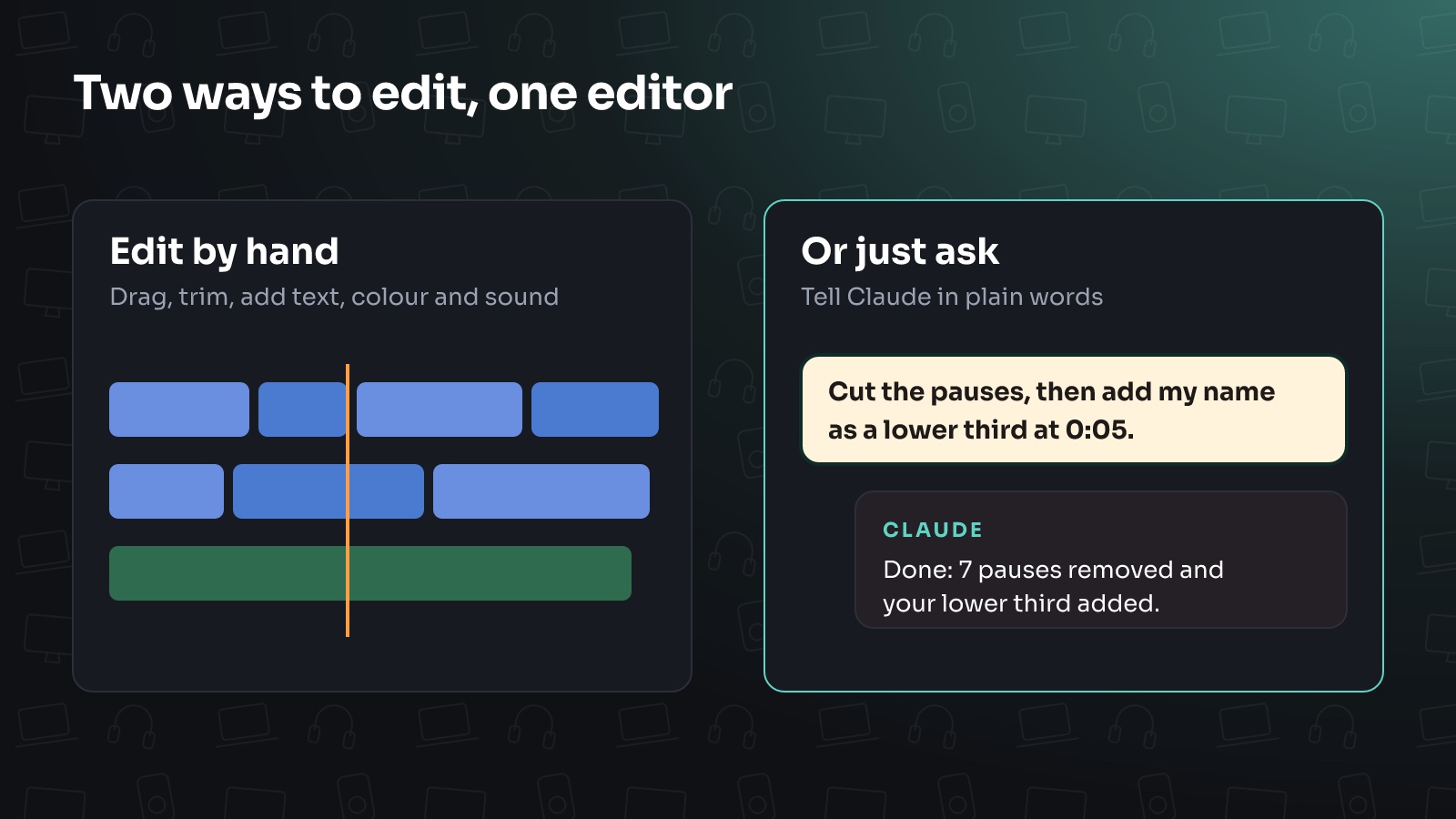
- Edit by hand, the way you always have: drag clips, trim them, add text, adjust colour and sound.
- Or just ask. Cutgenie can take instructions from Claude, an AI assistant. You type something like "cut the long pauses out of my intro, then add a lower third with my name at 0:05", and the edit appears on your timeline straight away. Then you check it, tweak it by hand, or undo it.
You're always in charge. Claude doesn't replace your judgement; it removes the repetitive clicking between you and the edit you already had in your head.
The numbers that made me share it
I didn't plan to release Cutgenie publicly. I built it to survive my own workload. But the time savings were too big to keep to myself.
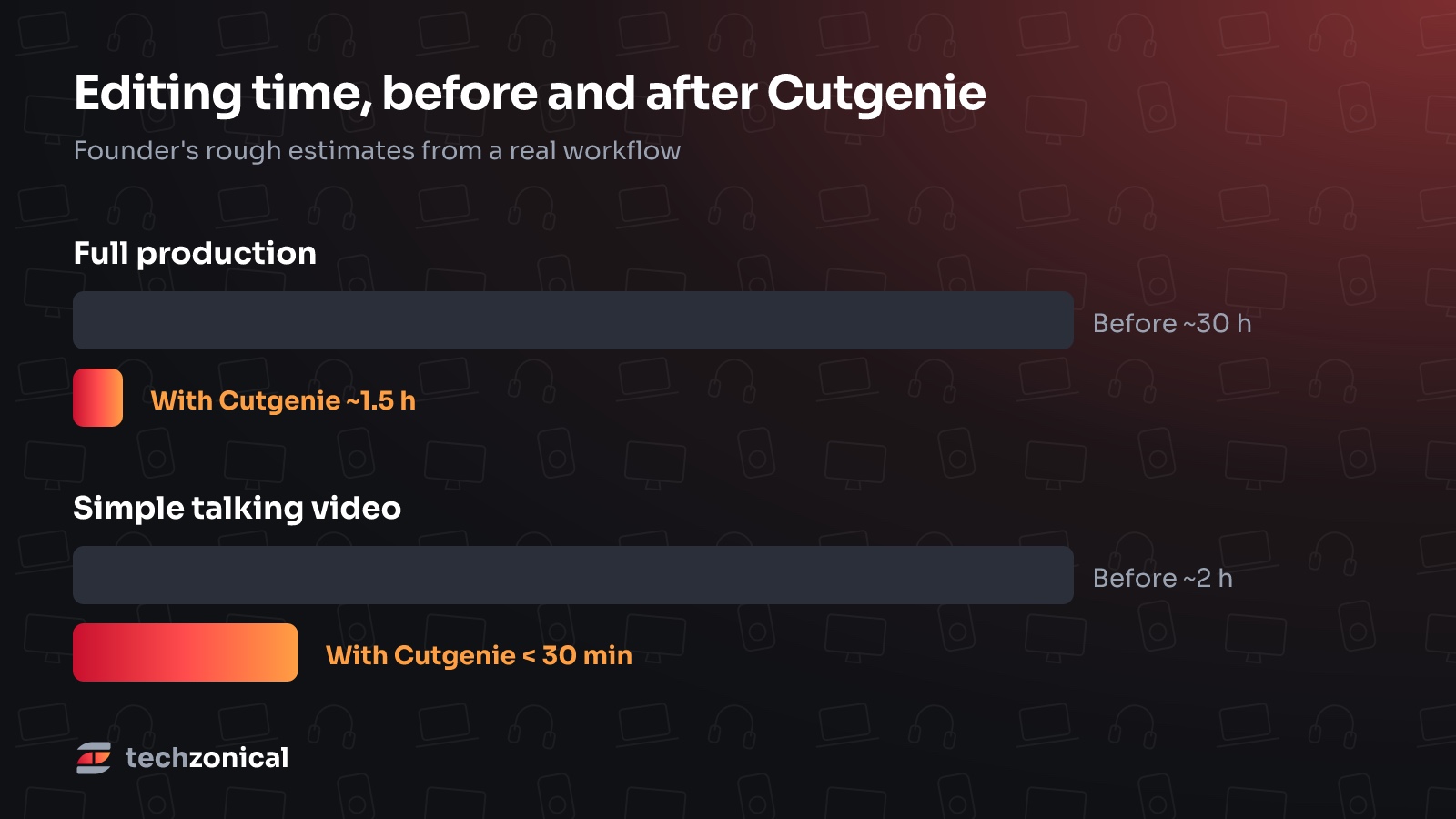
From my own workflow:
| Kind of video | Before | With Cutgenie |
|---|---|---|
| Full production (cuts, text graphics, finding assets, placing music) | about 30 hours | about 1.5 hours |
| Simple talking video (cuts and lower thirds) | about 2 hours | under 30 minutes |
These are my rough estimates, not a lab benchmark, but they match what I felt. Edits that used to eat a weekend now fit into an evening. That time goes back into what actually grows a channel: researching, recording, and publishing more often.
Built on ideas you already know
If you've used Final Cut Pro or Adobe Premiere Pro, a lot will feel familiar. Cutgenie borrows the best ideas from both:
- A magnetic timeline: clips snap together and gaps close on their own, with one-key tools to cut, trim, roll and slip.
- Numbered tracks, adjustment layers and one-click loudness to hit YouTube's −14 LUFS target.
- Colour tools you'd expect: exposure, contrast, colour wheels and LUTs, plus saved looks you can paste onto every clip.
- Sound tools per track: EQ, noise gate, compressor and limiter.
- Titles and graphics: text, shapes, lower thirds, zooms and picture-in-picture.
You can even bring in a Final Cut Pro project, so switching doesn't mean starting over.
Safe by design
When an AI can change your edit, safety matters. Cutgenie was designed around a few simple promises:
- Your original recordings are never changed. Edits live in the project file only. The footage from your camera stays exactly as it was.
- It saves on its own every minute and keeps your last 10 versions of every project, so you can always go back.
- A version is saved before every AI skill runs. If an edit isn't what you wanted, one undo, or one click in Versions, brings you back.
- It works only on your own Mac. While Cutgenie is open, it listens for commands from your computer only. Nothing goes over the internet to Cutgenie.
11 skills, written by an editor who writes for a living
Cutgenie comes with 11 bundled skills. A skill is a short set of instructions that teaches Claude one editing job: removing pauses, adding titles, zooms, sound clean-up, colour fixes, blurring private information, exporting, and checking the edit before you publish.
I'm a technical writer by profession, with more than 15 years of experience writing user guides and building help portals. Writing a good skill is a lot like writing a good user guide: you have to know exactly how the job should be done, and explain it so clearly that nothing is left to guesswork. Every Cutgenie skill was written with both halves of my background: real editing know-how, in instructions Claude can follow precisely.
You don't need to remember skill names. Just say what you want, and Claude picks the right one.
Who is Cutgenie for?
- Solo creators who do everything themselves: script, shoot, edit, publish.
- Small channels that can't afford an editing team, or a subscription for every tool.
- Beginners who want a real editor without a wall of jargon. The docs are written for people who have never edited before.
- Experienced editors who want to hand the repetitive parts to an assistant and keep the creative decisions.
What you need
- A Mac with macOS 14 Sonoma or newer
- An Apple silicon Mac (M1 or newer) works best; older Intel Macs may work but will feel slower
- Free disk space for your recordings and exports
You don't need an account, a subscription, or an internet connection to edit. Claude is optional: Cutgenie is a complete editor on its own.
Why free, and why open source?
Because I know what it's like to be a solo creator watching hours disappear into a timeline. If Cutgenie gives you back even one evening a week, it was worth building and sharing.
Open source means anyone can read how it works, report problems, suggest features, or contribute. It also means Cutgenie can't quietly turn into a subscription you're locked into.
What's next
Cutgenie is available for macOS today. Windows and Linux are coming soon. If you want to follow along, keep an eye on this blog and the TechZonical YouTube channel, where I'll share updates, tutorials and behind-the-scenes posts as Cutgenie grows.
If you've ever lost a weekend to editing, give it a try. Make your first wish.


