

I review laptops for a living on the TechZonical channel, and I edit videos for a living too. So I get asked this all the time: should I buy a MacBook for video editing?
The honest answer is: often yes, but not always, and not any MacBook. Here's how I think about it.
Why Macs became the default for creators
Since Apple moved its laptops to its own Apple silicon chips, MacBooks have become very good at the things video editors care about:
- Efficient performance: smooth editing without the laptop getting loud or hot
- Battery life: you can edit away from a charger for a long time
- Hardware video engines: common video formats play back and export quickly
- Great displays: bright, colour-accurate screens are standard
- Consistency: the same software behaves the same way across models
For many solo creators, that combination, quiet, cool, long-lasting and fast at video, is exactly what an editing machine needs.
What actually matters for editing
Whatever brand you choose, these are the things to prioritise, in roughly this order.
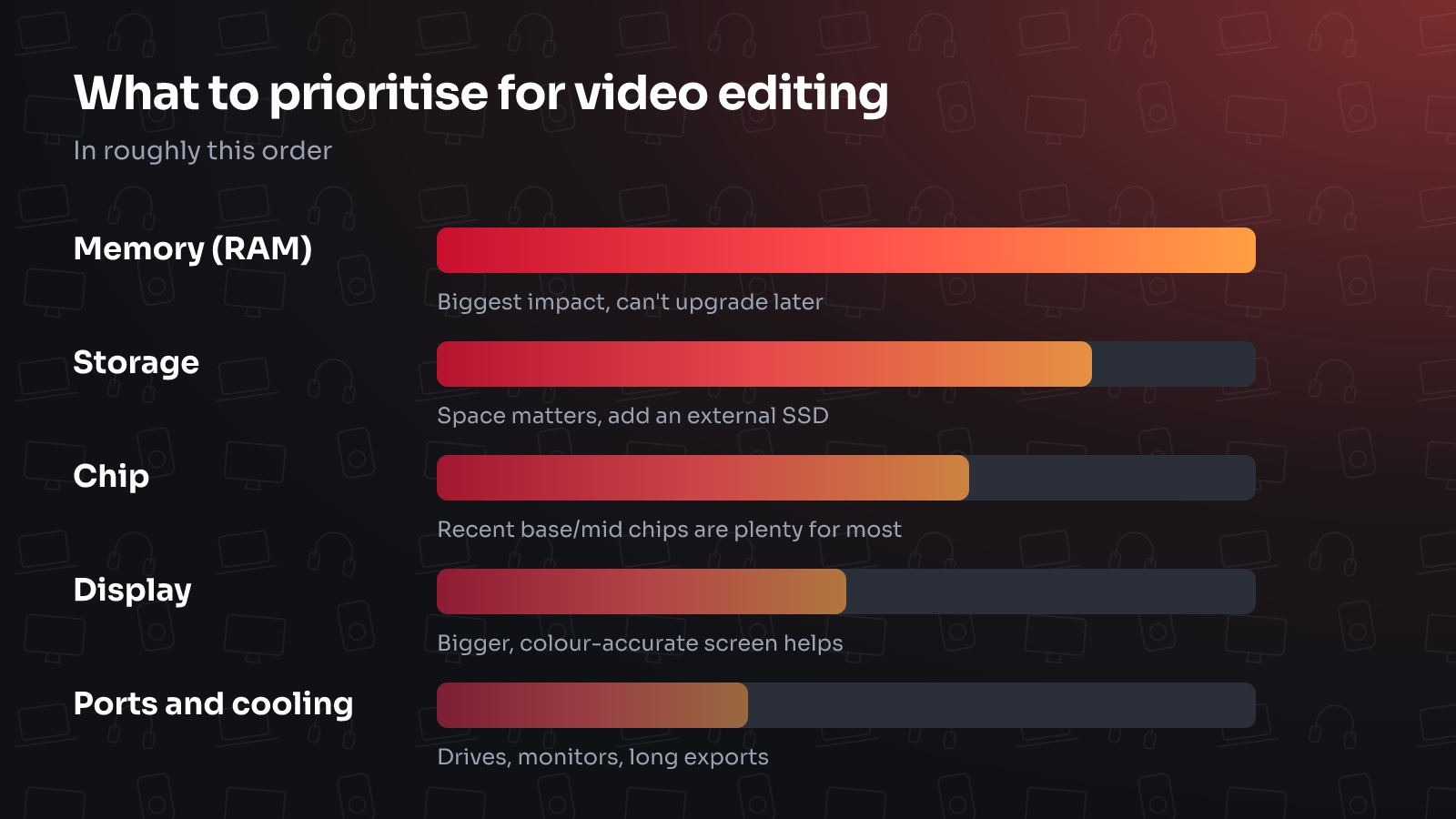
1. Memory (RAM)
Video editing loves memory. More memory means smoother timelines, more effects and fewer slowdowns when you have several apps open. If you edit regularly, treat memory as a priority, not an afterthought. Unlike many Windows laptops, MacBooks can't be upgraded later, so choose carefully at purchase.
2. Storage
Video files are big. One minute of 4K footage can be several hundred megabytes. Fast internal storage helps, but plenty of space matters more over time. An external SSD is a cheap way to keep active projects fast and your internal drive free.
3. The chip
Newer chips are faster, but for most YouTube editing, a recent base or mid-range chip is plenty. Pay for a higher-end chip if you work with long 4K timelines, heavy effects or multicam edits every day.
4. The display
If colour matters to your work, a good screen saves you from surprises after upload. A bigger screen also makes timelines far more comfortable.
5. Ports and cooling
Think about how you'll connect drives, card readers and monitors. And if you edit long sessions, a laptop that stays cool under load will stay fast.
When a MacBook is the right choice
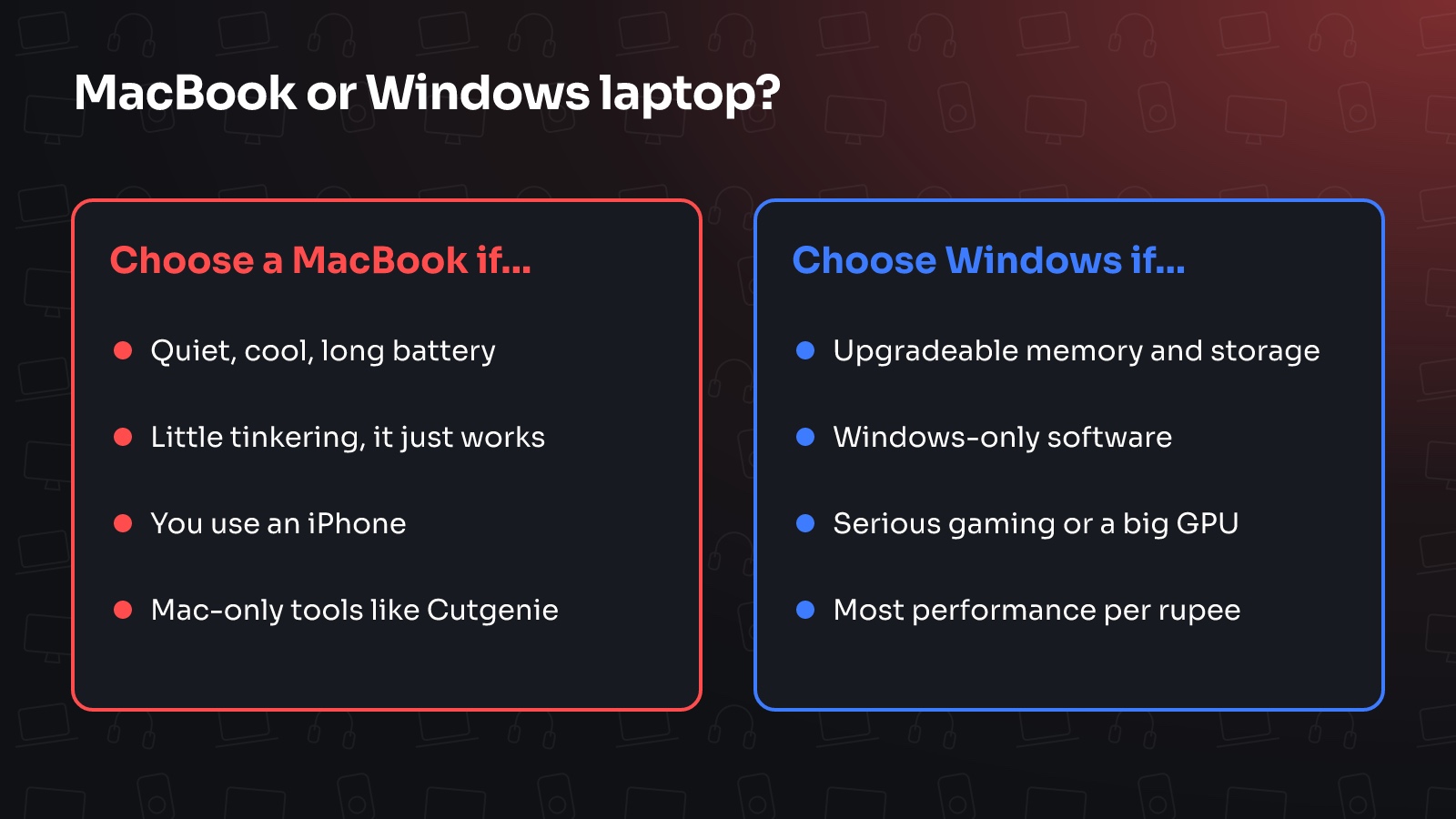
A MacBook makes a lot of sense if:
- You edit regularly and value quiet, cool, long-battery performance
- You want a machine that just works, with little tinkering
- You already use an iPhone, because files, photos and recordings move between them easily
- You want to use Mac-only tools, like Cutgenie, which needs macOS 14 Sonoma or newer and runs best on Apple silicon
When a Windows laptop is the smarter buy
A Windows laptop can be the better choice if:
- You need upgradeable memory and storage
- Your workflow depends on Windows-only software
- You also game seriously, or want a powerful dedicated graphics card for specific effects
- Your budget is tight and you need the most performance per rupee or dollar
There are excellent Windows creator laptops, and I've reviewed many of them on the channel. The right answer depends on your work, not the logo.
My simple recommendation
- Starting out: a recent MacBook Air with enough memory handles YouTube editing comfortably for most creators.
- Editing every day, with heavier projects: a MacBook Pro with more memory and a better chip is worth it.
- Need upgrades, gaming or Windows-only tools: pick a well-cooled Windows creator laptop instead.
And whatever you buy, budget for an external SSD and a good microphone. Viewers notice bad audio long before they notice a slow export.
Mistakes people make when buying an editing laptop
I see these again and again in comments and messages:
- Buying the minimum memory to save money. It's the most common regret. Memory affects every editing session for the life of the laptop, and on a MacBook you can't add more later.
- Paying for the top chip, then skimping on storage. A very fast chip with a nearly full drive will still feel slow. Balance the configuration.
- Ignoring the screen size. A timeline on a small screen means constant zooming and scrolling. If you edit for hours, a bigger display (or an external monitor) makes a real difference.
- Forgetting about heat and noise. Some thin laptops slow down when they get hot during long exports. If you edit long videos, check how a laptop handles sustained load, not just short tests.
- Buying for the editor you might become. Buy for the work you do today and the next couple of years, not for a Hollywood workflow you may never need.
Accessories that matter more than specs
Sometimes the best upgrade isn't a better laptop:
- An external SSD keeps active projects fast and your internal drive free. It's the cheapest performance boost for video editors.
- A good microphone. Viewers will forgive average video, but they leave quickly when the audio is poor.
- An external monitor gives you room for the timeline, viewer and panels at the same time.
- A comfortable keyboard and mouse or trackpad. Editing involves thousands of small actions. Comfort and shortcuts save hours.
- A backup drive. Losing a project is far more expensive than any drive.
Quick answers
Is a MacBook Air enough for YouTube editing? For most YouTube videos, yes, as long as you choose enough memory and keep your storage in check.
Do I need a MacBook Pro? Only if you edit long 4K timelines, use heavy effects, or edit every day for work. Then the extra performance and better cooling are worth it.
Can I edit on an older Intel Mac? Yes, but it will feel slower, especially with high-resolution footage. Many newer tools, including Cutgenie, run best on Apple silicon.
Software matters as much as hardware
A fast laptop doesn't help if your editing workflow is slow. The biggest time savings I've ever seen didn't come from a new chip. They came from changing how I edit.
That's why I built Cutgenie: a free video editor for Mac that you can drive by hand, or simply ask Claude to edit for you. A full video that took me about 30 hours now takes about an hour and a half on the same Mac.
The bottom line
Buy for your workflow, not for the hype. If you edit often, value quiet and battery life, and live in Apple's world, a MacBook is an excellent editing machine in 2026. If you need flexibility, upgrades or Windows-only tools, a good Windows creator laptop will serve you just as well.
For detailed laptop buying guides for India, with current prices and picks, visit techzonical.in.


